Is there a clipboard tool that keeps notes next to copied text?
Yes. A clipboard tool with notes attaches your thought to the exact clip that inspired it. See which tools do it, and how Clipboarder Pro keeps notes beside every clip in Chrome.
Clipboarder Pro Team
Yes. A clipboard tool with notes lets you attach a thought to the exact clip that inspired it, instead of keeping a separate notepad. CopyQ lets you add a note or tag to an item, Copybook offers a separate notes tab, and Clipboarder Pro places an in-line note field right beside each saved clip in Chrome.
Key takeaways
Key takeaways
- Only some clipboard managers let you attach a note to a specific clip — CopyQ documents notes and tags on items.
- Built-in Windows clipboard history (Win+V) keeps up to 25 items and is off by default; no notes field is documented.
- Copybook's "Custom" tab is a scratchpad next to your history, not a note on each clip.
- Clipboarder Pro puts notes in-line beside each clip, stores everything in your browser, and is free for 30 days, then $4.99/month as of November 2026.
What does "notes next to copied text" actually mean?
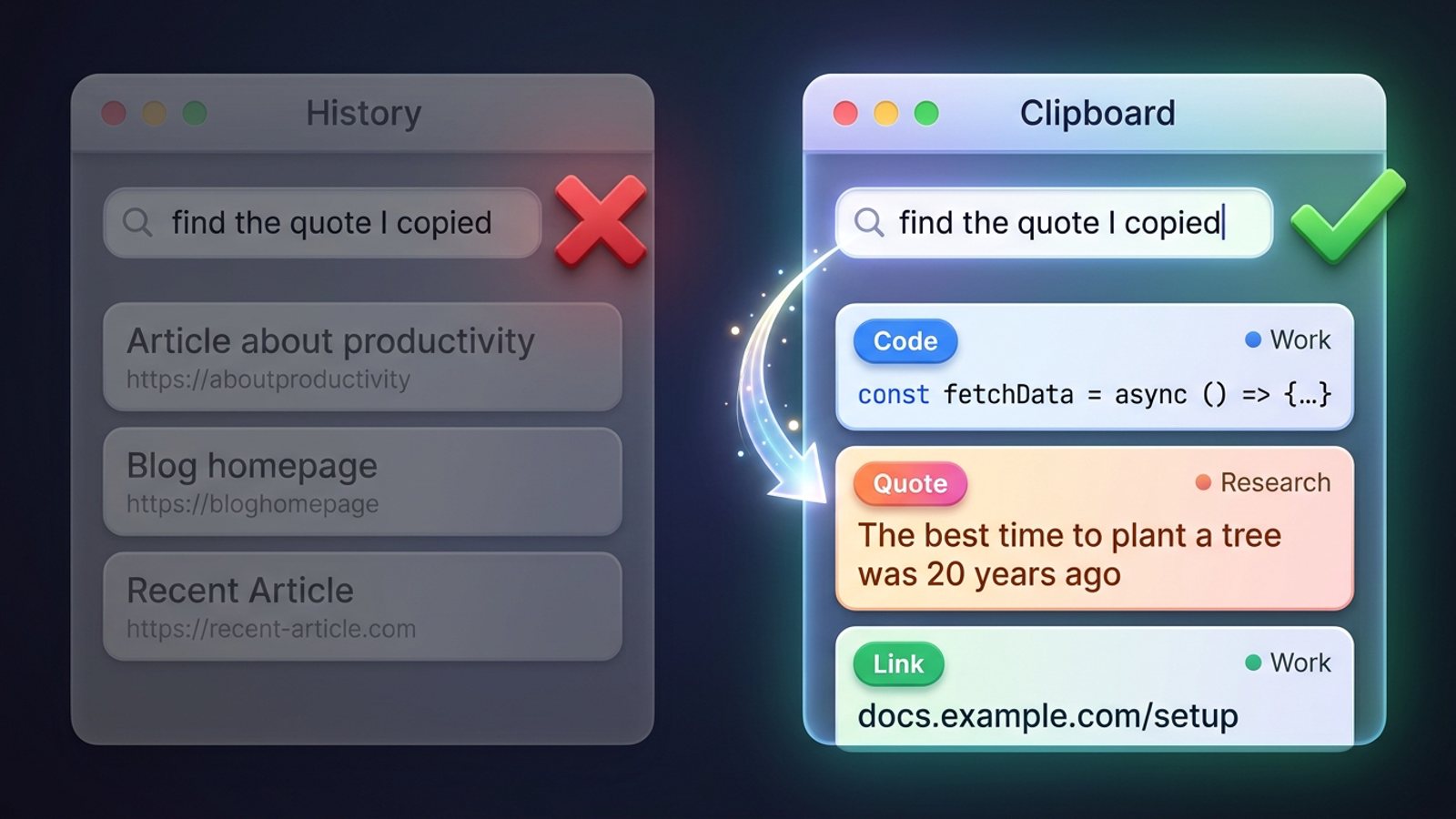
It means the note lives on the clip, not in a separate app. You copy a quote, a code snippet or a link, and the same screen gives you a place to write why you saved it — a source, a reminder, a half-formed idea.
That distinction matters more than it sounds. A general notes app makes you paste the clip and the thought in two steps, and the link between them is lost the moment you close the tab. A clipboard tool with notes keeps the two together, so a week later the quote still carries your comment.
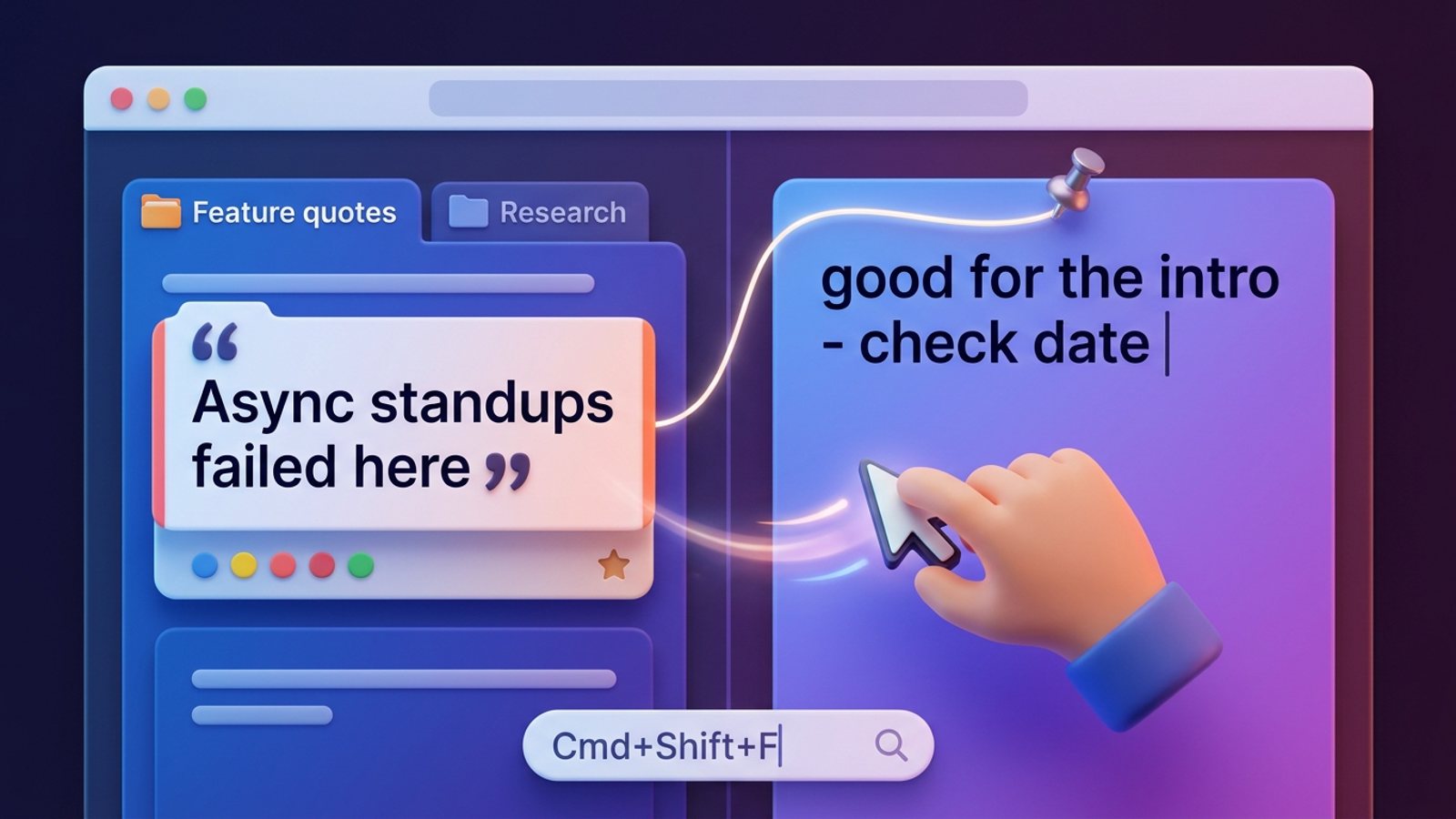
Say you're a writer gathering quotes for a feature. You copy a line from an interview, then want to jot "good for the intro — check date." If that thought lives in a separate document, you'll be hunting for which quote it belonged to. If it sits beside the clip, it's already answered.
The value isn't having notes. It's having notes that can't drift away from the thing they describe.
Which clipboard tools let you attach a note to a clip?
CopyQ is the clearest documented example of notes on an item. Its README describes a tool that monitors the system clipboard and saves content in customized tabs, and lets items be "marked with tag or a note" (CopyQ README, no date). A Slant comparison notes this makes CopyQ usable as "a personal database for important information," and MakeUseOf (2022) lists "option to add notes or tags to copied text snippets" among its standout features.
Clipboarder Pro takes a different layout: the note field sits directly beside the clip in the same view, so you write the note as you capture the item. Copybook, a Chrome extension, offers a "Custom" tab described as a built-in notepad alongside your copy history — useful, but it's a separate tab rather than a note pinned to one clip.
Windows' own clipboard history doesn't document a notes field at all. HP Tech Takes (2026) describes it as storing up to 25 recently copied items (text, images, HTML), off by default and enabled with Windows key + V, with history cleared on every restart except pinned items.
Good to know
"Notes on an item" and "a notes tab next to your history" are different features. Before you commit to a tool, check which one you're actually getting.
How do you keep a note beside a quote while you research?
Decide first where the note needs to live, then pick the tool that matches. Here's the practical sequence for a research session:
- Decide the note's home. On the clip itself, or in a panel next to it? If you'll revisit the quote weeks later, on-the-clip wins.
- Capture as you read. Copy the quote the moment you find it — don't save the tab "for later."
- Write the note immediately. One line: why you saved it, where it came from, what you'll do with it.
- Group by project. Folders or tabs keep a feature's quotes together.
- Search, don't scroll. Find the quote by a word from your note, not by remembering the page.
Our recommendation: write the note in the same minute you copy the quote. A note added an hour later is a note you'll never write.
A worked example
You're writing a piece on remote work and copy six quotes across two afternoons. Without notes, you have six anonymous blocks of text and a vague memory of which interview each came from. With notes beside each clip, quote three reads: "Async standups failed here — good counterpoint, check the company size." You've just saved yourself a re-read of the whole interview.
How does Clipboarder Pro keep notes next to your clips?
Clipboarder Pro saves everything you copy — text, images, URLs and code — and gives you a note field right next to the clip that inspired it. You write the note in-line, in the same view, so the quote and your comment stay together.
Around that core, it organizes the rest of your copying life:
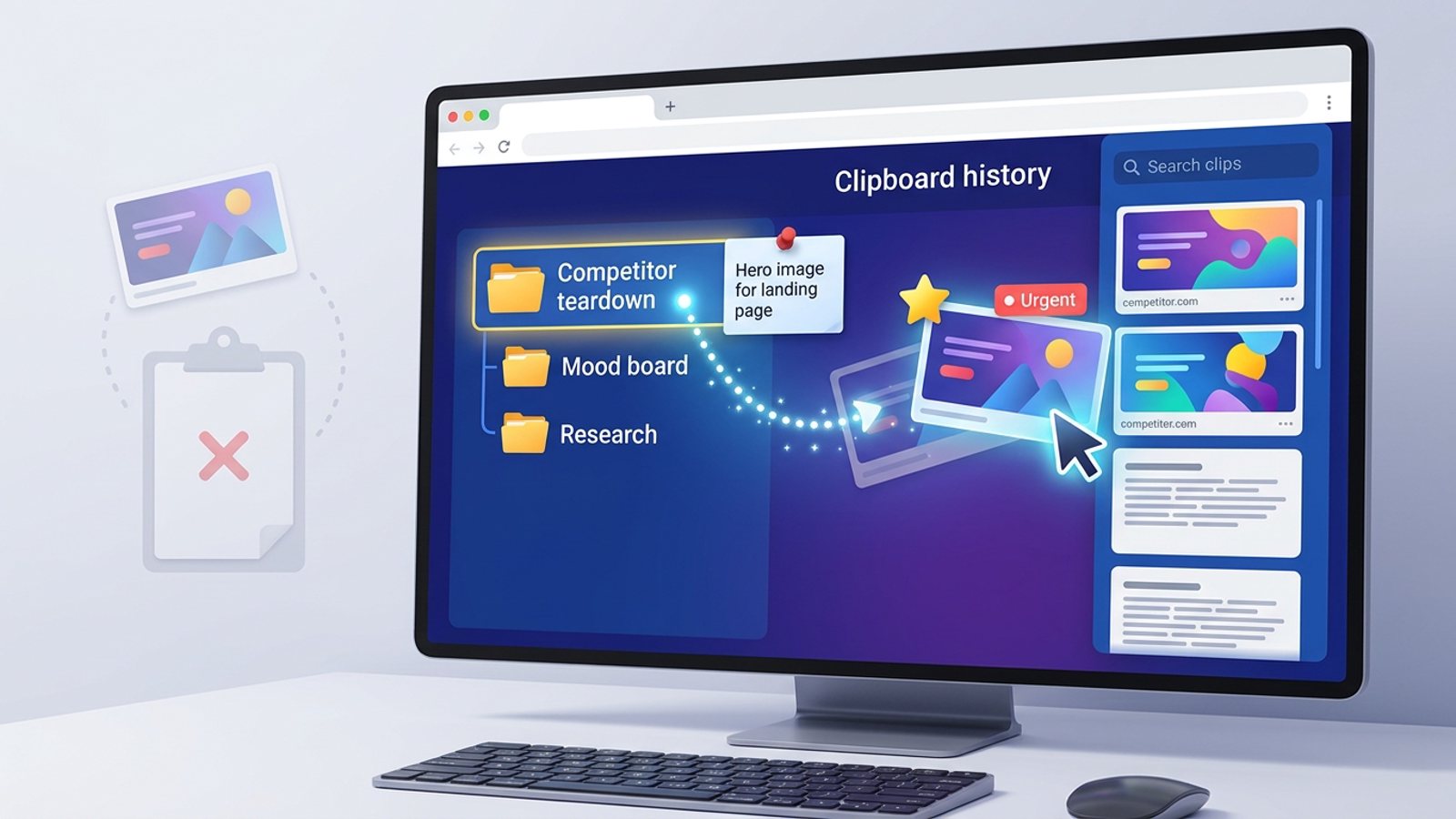
- Nested folders up to three levels deep, with drag and drop.
- Colour tags to mark urgency, project or mood at a glance.
- Stars for the items you reach for most, giving you one-click access.
- To-do lists with check-offs, hiding of completed items and a confetti celebration.
- Multi-select copy — grab 5, 10 or 20 clips in one shot.
- Archiving with an automatic retention window of 1–365 days.
- Search across every clip, note and folder with Cmd+Shift+F.
Everything is stored in your browser on your machine — no servers, no tracking. It's a Chrome extension only, which is the honest limit: if you work across desktop apps outside Chrome, a desktop tool will fit better.
It's free for 30 days, then $4.99 per month as of November 2026 (prices can change). If you want your notes and clips in one place, you can install the ultimate Chrome extension today.
Tip
Use the note field for the why, not the what. The clip already tells you what it says; your note should tell future-you why it mattered.
Which clipboard tool with notes should you pick?
Here's how the options compare, starting with our pick of the tools we compared.
| Option | Best for | Key features | Price | Watch-outs |
|---|---|---|---|---|
| Clipboarder Pro (Our pick) | Notes beside clips in Chrome | In-line notes, folders, tags, to-dos | Free 30 days, then $4.99/month | Chrome only |
| CopyQ | Cross-platform power users | Tabs, search, notes/tags on items | Free | Desktop app, more technical |
| Copybook | Chrome users wanting a scratchpad | Copy history, source URLs, notes tab | Free | Notes in separate tab |
| Windows clipboard (Win+V) | Quick retrieval on Windows | 25-item history, pinning | Free, built in | No notes; off by default |
| Ditto | Windows users wanting groups | Groups, named paste, formats | Free, portable | Windows only |
Clipboarder Pro is our pick of the tools we compared for this specific job — a note attached to the clip, in the browser where most copying happens. It's the most direct fit if you live in Chrome and want notes, folders and to-dos in one window.
CopyQ is the stronger choice if you want a free, cross-platform desktop tool with scripting and tabs. MacMyths (2026) lists it as supporting Linux, Windows and macOS (macOS 13+), and it's free per its SourceForge listing. The trade-off: it's a desktop app with a more technical interface, not a browser extension.
Copybook suits Chrome users who want copy history plus a scratchpad. Its Chrome Web Store listing (updated August 2026) describes source-URL tracking, Shift + Click insertion and local-only storage with a "zero-external-network architecture." Its notes live in a separate "Custom" tab, so it's not quite the same as a note pinned to one clip.
Windows clipboard history is fine for grabbing something you copied five minutes ago. It isn't a notes tool, and MEFMobile (2026) is blunt about the category: clipboard history is "a convenience feature, not a document archive or backup system."
Ditto is a Windows option with grouping — a CSDN guide (2025) describes creating groups via Edit > Add Group. MacMyths (2026) calls it "a more narrowly documented Windows clipboard-history option," so check it fits your workflow before relying on it.
If you mainly need cross-platform desktop power tools, CopyQ is the more direct choice. If you mainly need notes beside clips inside Chrome, Clipboarder Pro is built for exactly that.
Clipboarder Pro is made by the team behind this blog.
Watch out
Clipboard history isn't a backup. Windows clears its history on restart except pinned items (HP Tech Takes, 2026), and MEFMobile (2026) recommends saving important quotations and notes elsewhere. Check where your tool stores data before you trust it with a deadline.
Do your notes survive a restart or a browser update?
It depends entirely on the tool. Windows clipboard history is cleared on every restart except pinned items, according to HP Tech Takes (2026), so anything you didn't pin is gone. That's the single biggest reason to move notes out of the built-in history and into a dedicated tool.
For browser-based tools, the question becomes where the data lives. Copybook's listing says all data is stored locally. Clipboarder Pro stores everything in your browser on your machine, with no servers — which means your notes stay put between sessions, and nothing is uploaded.
Good to know
Windows clipboard sync across devices is opt-in via a Microsoft account, and HP Tech Takes (2026) notes it can be set to "Never automatically sync" for privacy. If you'd rather nothing left your device, check that setting.
Can you search your notes, not just your clips?
Yes — in the tools that index notes alongside clips. Clipboarder Pro searches across every clip, note and folder with Cmd+Shift+F, so a half-remembered phrase from your own comment finds the quote. CopyQ keeps entries in searchable tabs (MacMyths, 2026).
That's the quiet payoff of notes-next-to-text: your note becomes a second search index. You forget the quote, but you remember writing "check the date" — and that's enough. If searching old copied text is your main pain, it's worth reading more on how to search old copied text.
What's the difference between notes, tags and folders?
They answer three different questions, and good tools give you all three. A note answers "why did I save this?" A tag answers "what kind of thing is this?" A folder answers "which project does this belong to?"
CopyQ documents tags and notes on items. Clipboarder Pro offers all three: notes in-line, colour tags for urgency or project, and nested folders up to three levels deep. Use folders for projects, tags for status, notes for context — and you'll never open a clip and wonder why it's there.
If you want to see how notes and to-dos sit together with your clips, the guide on keeping notes and to-dos with your clips walks through it.
Ready to stop losing the thought behind the quote? Install the ultimate Chrome extension today.
Sources
- CopyQ README (GitHub, no date)
- CopyQ vs ClipAngel (Slant, no date)
- How to Manage Your Linux Clipboard Using CopyQ (MakeUseOf, 2022-02-26)
- CopyQ for Windows (SourceForge, updated 2025-12-27)
- How to Use the Clipboard on Windows 10 (Now 11) (HP Tech Takes, 2026-03-02)
- Windows Clipboard History: Use, Sync, Clear, and Fix It (MEFMobile, 2026-09-20)
- Best Clipboard Managers for Mac, Linux, and Windows (MacMyths, 2026-10-03)
- Copybook listing (Chrome Web Store, updated 2026-08-02)
- Ditto group management guide (CSDN, 2025-09-11)
- Clipboard History (TypeFire blog, vendor, 2026-10-26)
Frequently asked questions
Can I attach a note to a specific copied item, or only keep separate notes?
Both exist, and they're different features. CopyQ documents adding a note or tag to an item itself. Copybook's notes are a separate "Custom" tab next to your copy history. Clipboarder Pro places the note field beside the clip in the same view.
How many items does the built-in clipboard keep?
Windows clipboard history stores up to 25 recently copied items, according to HP Tech Takes (2026), and it's off by default until you press Windows key + V. On earlier macOS versions, Show Clipboard shows only the last thing copied (TypeFire blog, 2026).
Is my clipboard data uploaded anywhere?
Not necessarily. Clipboarder Pro stores everything in your browser on your machine, with no servers. Copybook's listing says its data is stored locally with a zero-external-network architecture. Windows clipboard sync is opt-in via a Microsoft account and can be switched off.
Do notes survive a restart?
In Windows' built-in history, no — history is cleared on restart except pinned items (HP Tech Takes, 2026). In a dedicated tool that stores data locally, your notes stay between sessions. Check your tool's storage model before relying on it.
Which clipboard tool with notes should I use?
If you work in Chrome and want a note beside each clip plus folders and to-dos, Clipboarder Pro is the most direct fit — free for 30 days, then $4.99/month as of November 2026. If you need a free cross-platform desktop tool with scripting, CopyQ is the better match.