What is the best clipboard tool for content creators saving swipe files?
The best clipboard tool for swipe files catches every copy automatically, files it into folders, and tags or stars the keepers. Here's how to build a swipe file you'll actually reopen.
Clipboarder Pro Team
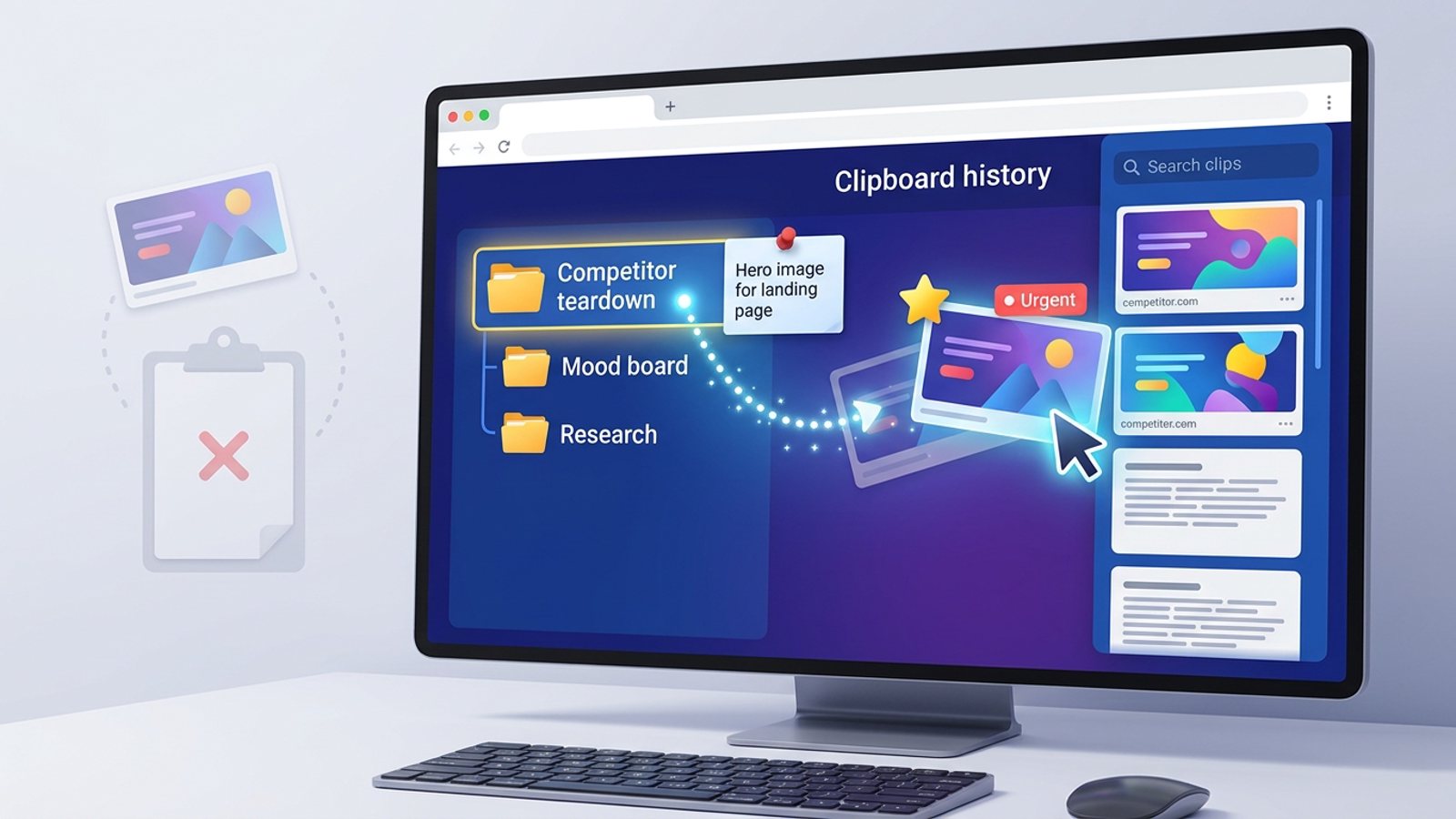
If your swipe file lives in the browser — hooks, headlines and links copied from competitor and reference pages — the best clipboard tool for swipe files is a Chrome clipboard manager that catches every copy automatically, files it into swipe folders, and lets you tag or star the keepers. Clipboarder Pro is our pick of the tools we compared.
Key takeaways
Key takeaways
- A swipe file only works if every save is tagged and easy to find again — Madgicx's swipe-file guide (updated November 2026) recommends tags for hook, proof, format and style.
- Clipboarder Pro saves everything you copy in Chrome, files it into nested folders, and adds color tags, stars and notes next to each clip.
- Windows Clipboard History holds 25 items and wipes unpinned ones on restart, per HP (2026) and Microsoft Q&A (2026) — too small for a swipe file.
- Raycast and Paste are strong Mac-side options; Notion and Google Keep store a swipe file but need manual pasting.
- Clipboarder Pro is free for 30 days, then $4.99/month as of November 2026 — prices can change.
Install the ultimate Chrome extension today and your next copied hook lands in a folder instead of a lost tab.
What actually goes in a content swipe file?
A swipe file is a reference library of hooks, headlines, links, formats and offers you want to study — each saved with a note on why it caught your eye. Madgicx's swipe-file guide (updated November 2026) describes it as the fix for the blank page, with one catch: uncurated, it becomes a hoard of screenshots nobody opens again.
Madgicx's working method is short: find → save with tags → write a brief → test. That's the whole job. The tool you choose should make the "save with tags" step take two seconds, because that's the step people skip.
A swipe file is only as good as the second time you open it.
Why do most swipe files fail?
Most swipe files fail because saving is easy and finding is hard. You copy a great hook, paste it somewhere, and a month later you can't remember the source page, the date, or why you liked it. Madgicx's advice is blunt: record the creative, the source page name, the date found and a link — "in a month you won't remember."
That's a clipboard problem before it's a note-taking problem. If the tool doesn't catch the copy the moment you make it, the swipe never gets saved at all.
Watch out
A swipe file is for ideas, not copies. Madgicx (2026) recommends keeping the structure and changing the words, images, examples and proof. Lifting a competitor's copy word for word is a different — and riskier — move.
How do you build a swipe file that stays findable?
Build the folder structure before you copy anything, then capture fast and organize after. Here's the routine that works, drawn from Madgicx's guide (2026) and TaskLoco's swipe-file walkthrough (June 2026):
- Decide your swipe folders first — by platform (LinkedIn, email, landing pages) or by format (hooks, CTAs, proof blocks).
- Copy the hook, headline, link or snippet as you browse. Capture fast; don't stop to file.
- Add the source link and a one-line note on why it caught your eye.
- Tag it — Madgicx suggests starting with hook, proof, format and style, plus optional offer and audience, and keeping the allowed values short.
- Star the best examples so your top ten are one click away.
- Once a week, open a folder and turn one swipe into a brief in your own words and proof.
That weekly review is what separates a swipe file from a graveyard. Now here's how that routine maps onto Clipboarder Pro.
How does Clipboarder Pro handle a swipe file?
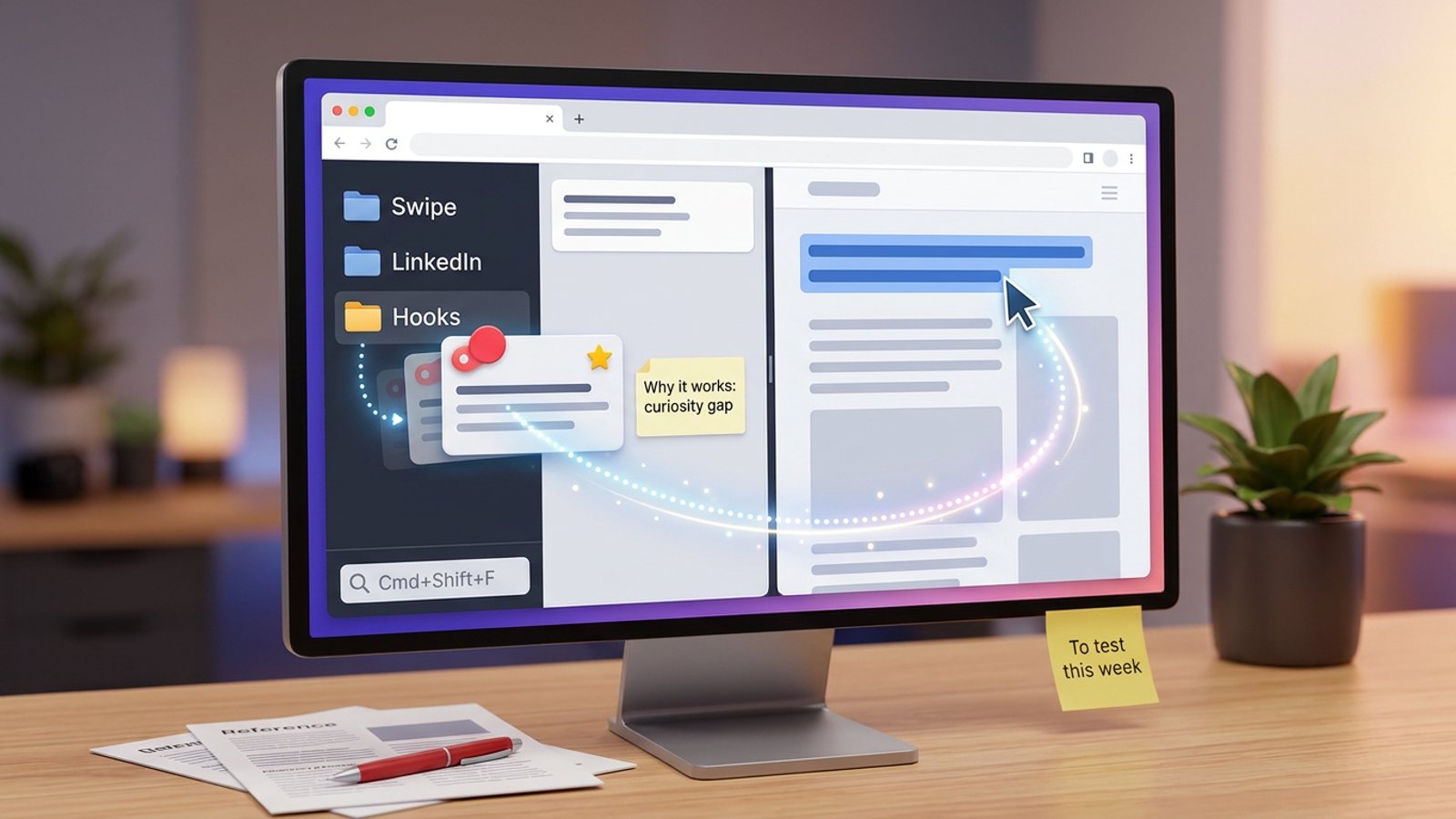
Clipboarder Pro saves everything you copy in Chrome automatically — text, images, URLs and code — then lets you organize it into nested folders up to three levels deep with drag and drop. For swipe files that means a folder tree like Swipe → LinkedIn → Hooks, with the copied hook sitting inside it seconds after you hit copy.
- Color tags let you code items by urgency, project or mood — a red tag for "test this week", a green one for "reference only".
- Stars put your most-used hooks and headlines one click away.
- In-line notes let you write why a clip caught your eye, right next to the clip that inspired it — the note Madgicx says you'll forget in a month.
- Search with Cmd+Shift+F covers every clip, note and folder, so "that hook about pricing" is findable without scrolling.
- Multi-select copy grabs 5, 10 or 20 clips in one shot — handy when you're pulling a week of hooks into a doc.
- Archive hides what you don't need today without deleting it, with a retention window of 1–365 days.
One thing to be clear about: Clipboarder Pro saves what you copy. It is not a scraper and it doesn't save whole web pages — you still select and copy the hook or headline yourself, which is exactly the moment your swipe file needs to catch.
Tip
Our recommendation: make one folder per platform and use color tags for status — "to test", "tested", "winner". You'll stop re-reading the same hooks and start shipping them.
Everything is stored in your browser on your machine, with no servers. The trade-off is honest: it's a Chrome extension only, so a Mac-only or multi-device workflow needs a different tool.
Which clipboard tool is best for swipe files? The options compared
Here's how the main options stack up for a browser-based swipe file, with Clipboarder Pro first as our pick of the tools we compared.
| Option | Best for | Key features | Price | Watch-outs |
|---|---|---|---|---|
| Clipboarder Pro (Our pick) | Chrome users building a swipe file | Auto-saves copies, nested folders, color tags, stars, notes, to-dos | Free 30 days, then $4.99/mo | Chrome only; local storage |
| Raycast | Mac launcher power users | Clipboard history, snippets, quicklinks | Free; Pro $10/mo | Mac only; 3-month free history |
| Paste | Apple-device users | Unlimited history, pinboards, sync | $2.49/mo or $29.99/yr | Apple platforms only |
| Windows Clipboard History | Re-pasting a few recent items | Win + V, pinning | Free | 25-item cap; wiped on restart |
| Google Keep | Instant capture on phone or web | Labels, colors, sync | Free; 15 GB shared | No folders; manual pasting |
| Notion | A structured long-term swipe database | Databases, views, properties | Free; Plus $10/user/mo | Heavy for quick capture |
Clipboarder Pro is the most direct fit when your swipe file is built while browsing in Chrome, because saving is the copy itself — no paste step, no second app. Clipboarder Pro is made by the team behind this blog.
Raycast suits Mac users who already live in a launcher: clipboard history, snippets and quicklinks sit in one keyboard-driven tool, and the free tier is permanent rather than a trial (AI Academy by Techpresso, October 2026). The catch is that free clipboard history lasts three months, and unlimited history needs Pro at $10/month — which you must switch on manually in Settings → Clipboard History, per the Raycast Manual.
Paste is the polished Apple-side choice: unlimited history, pinboards, search and sync across Mac, iPhone and iPad, with data staying on your devices and iCloud per a softrankings.com listing (October 2026). Pricing read on 9 October 2026 was $2.49/month or $29.99/year, after a 7-day trial (PCNMobile). It doesn't run on Windows.
Windows Clipboard History is free and instant, and pinning keeps favourites around (MakeUseOf, February 2026). But HP (July 2026) notes unpinned items are deleted on shutdown or reboot, and Microsoft Q&A (September 2026) confirms the 25-item cap can't be raised natively. That's a re-paste tool, not a swipe file.
Google Keep is the fastest option for quick capture with dependable sync (XDA, June 2026), and it's free with 15 GB of shared Google storage. Organization stops at labels and colors with no folders, per a Fabric vendor comparison (May 2026) — and a swipe file means manual pasting.
Notion builds a serious, sortable swipe library with databases and properties. XDA (June 2026) calls it heavy for quick capture — "like opening a full productivity system just to save a quick thought" — and you file each item by hand. Notion pricing from the same Fabric vendor blog (May 2026): free for individuals, Plus $10/user/month.
If you mainly need a launcher with snippets on a Mac, Raycast is the more direct choice. If you want your swipe file to sync across Apple devices, go with Paste.
Install the ultimate Chrome extension today and start filing hooks into folders on your next research session.
What tags and folders should a swipe file use?
Start with four tags — hook, proof, format and style — and add offer and audience only if you need them. That's Madgicx's suggestion (2026), and the reason is searchability: a short, fixed list of tag values means you can filter fast instead of inventing a new label every time.
Our recommendation: pair those tags with platform folders. A hook saved under Swipe → Email → Hooks with a "proof" tag is findable two ways, which is what you want when a client asks for examples by Friday.
Good to know
Meta Ad Library is the usual source for ad swipes — it shows the creative, the Page and the run dates for ordinary active ads, but not spend, impressions or audience size, per Madgicx (2026). Long run dates are a weak signal of what works, so save the ad and your own note, not the run time as proof.
Can you copy a swipe file into a doc in one go?
Yes — select multiple clips and copy 5, 10 or 20 items at once in Clipboarder Pro. That's the step that turns a folder of hooks into a brief: pull ten, paste them into your doc, and rewrite each in your own words with your own proof.
If you're weighing this against a notes app, our guide to a clipboard tool that keeps notes next to copied text covers that workflow in more depth, and the best clipboard organizer for copywriters who save swipe files digs into filing systems.
Sources
- Ad Swipe File: What to Save and How to Build One That Works (Madgicx, updated 2026-11-12)
- How to Build a Swipe File of Web Pages You Like (TaskLoco, 2026-06-29)
- How to Use the Clipboard on Windows 10 (Now 11) (HP, 2026-07-21)
- clipboard maximum (Microsoft Q&A, 2026-09-11)
- There's a hidden clipboard history in Windows and it's changed how I work (MakeUseOf, 2026-02-09)
- This underrated note-taking app solved the problem Notion and OneNote never could (XDA, 2026-06-25/26)
- Google Keep vs Notion: which should you choose in 2026? (Fabric, vendor blog, updated 2026-05)
- Evernote vs Google Keep comparison (Fabric, vendor blog, updated 2026-05)
- Raycast pricing (date not given)
- Is Raycast Worth It in 2026? Free Plan vs $10 Pro (AI Academy by Techpresso, 2026-10-14)
- Raycast Billing (Raycast Manual, date not given)
- Pricing — Paste (date not given)
- Paste: pricing, plans and where it runs (PCNMobile, read 2026-10-09)
- Paste | Search and Sync Clipboard History Across Devices (softrankings.com, 2026-10-26)
Frequently asked questions
What is the best clipboard tool for swipe files?
For a browser-based swipe file, Clipboarder Pro is our pick of the tools we compared: it saves every copy automatically in Chrome, files clips into nested folders, and adds color tags, stars and notes. On Mac, Raycast or Paste are strong alternatives depending on whether you want a launcher or Apple-device sync.
Can I raise the Windows clipboard limit past 25 items?
No — Microsoft Q&A (September 2026) states there's no native setting or registry tweak to raise the built-in limit. Users who need more are pointed to third-party clipboard managers.
Does Raycast store unlimited clipboard history for free?
No. Free clipboard history lasts three months, per AI Academy by Techpresso (October 2026); unlimited history requires Pro, and you must switch it on manually in Settings → Clipboard History.
Does Paste work on Windows?
No. Paste is available on Mac, iPhone and iPad only, per PCNMobile (read October 2026).
Is copying competitor copy risky?
A swipe file is for ideas. Madgicx (2026) recommends keeping the structure and changing the words, images, examples and proof. This isn't legal advice — rules vary by place, so check with a professional if you're unsure.