Your Permanent Clipboard pricing: worth the cost for small business owners?
Permanent Clipboard's free tier covers snippet capture; Premium adds sync, images, version history and 90-day recovery. Here's when paying is worth it for a small business.
Clipboarder Pro Team
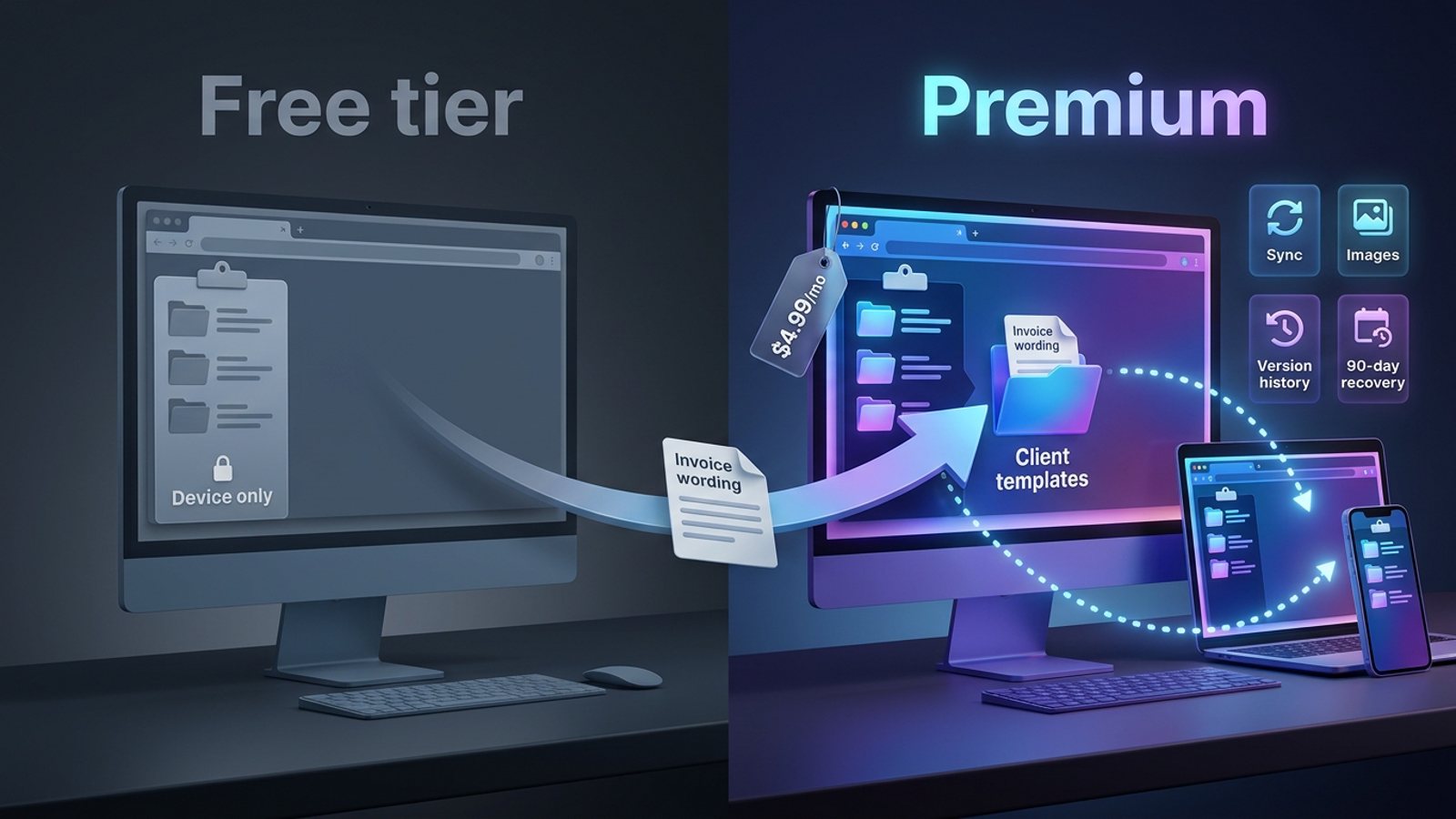
Permanent Clipboard's Premium tier adds cross-device sync, image snippets, per-snippet version history and 90-day recovery of deleted items on top of a free snippet library, so it's worth paying for only if you need those extras across a team or several devices. The Chrome Web Store listing (updated 30 September 2026) confirms a paid tier and its features; check the vendor's own page for the current figure before you buy.
Key takeaways
Key takeaways
- Permanent Clipboard is free for its core snippet library; Premium adds sync, images, version history and 90-day deleted-item recovery.
- The Chrome Web Store listing (updated 30 September 2026) confirms the paid tier and what it includes — check the vendor's page for the current figure.
- Clipboarder Pro is $4.99/month after a 30-day free trial, as of November 2026 — prices can change.
- Free routes (CopyQ, built-in OS history, a notes app) cover basic capture at zero cost, but not browser-based folders plus notes and to-dos.
- If you only copy in Chrome and want folders, notes and to-do lists in one place, a browser extension beats a desktop app for most small teams.
Permanent clipboard pricing is really two questions: what the free tier gives you, and whether the Premium extras are worth paying for. Permanent Clipboard is a Chrome clipboard manager built around named snippets in nested folders, and its free tier already does the capture-and-organise job. The paid question is narrower than it looks: you're paying for sync, images, version history and recovery — not for the clipboard history itself.
What does Permanent Clipboard's free version actually give you?
The free version is a working snippet library, not a crippled demo. The Chrome Web Store listing (updated 30 September 2026) describes named snippets, nested folders, search across them, and inserting from the popup or the right-click menu. A third-party review on the TypeFire blog (vendor blog, 4 October 2026) describes it as "mostly a snippet library in nested folders" with device-local history.
That's a real workflow for a small business: canned replies, shipping addresses, product descriptions, invoice wording. You save it once, you paste it forever.
The catch is where the free tier stops. History stays on the device it was captured on, and there's no version history or recovery window unless you upgrade.
Good to know
The extension's source is on GitHub (repository started 2013), and it describes storing named entries in nested directories with Chrome sync between Chrome instances. The store listing shows in-app purchases, which is where the Premium tier sits.
What does Permanent Clipboard Premium add — and is it worth paying for?
Premium adds four things: cross-device sync, image snippets, full version history per snippet, and recovery of deleted entries for up to 90 days. Those are the features you're actually buying, per the Chrome Web Store listing and the TypeFire review (2026).
Run the test against your week:
- Work on more than one machine? Sync is the headline Premium feature. If you're desktop-only, you're paying for something you won't use.
- Copy images often? Screenshots, product photos, design references. The free tier is text-focused; image snippets are a Premium extra.
- Edit saved snippets regularly? Version history matters when a template changes and you need the old wording back.
- Delete the wrong thing before? A 90-day recovery window is insurance. Free users don't get it.
Two or more yeses and Premium earns its keep. One or none, and the free tier is probably enough.
Watch out
A security review by Extension Auditor (12 November 2026) notes that Permanent Clipboard's permissions let it read and change data on all websites. That's common for clipboard extensions, but review permissions before installing any of them — especially on a work machine holding client data.
How much does Permanent Clipboard Premium cost?
The Chrome Web Store listing confirms a paid tier exists and lists its features, and the figure to budget for is the one on the vendor's own page — open it before you buy. Check the billing cycle too: monthly and annual plans often differ by more than a rounding error. Prices can change, and third-party roundups go stale fast.
For context on where the browser clipboard market sits, here's what other Chrome extensions publicly charge, as of November 2026:
| Tool | Listed price (as of Nov 2026) |
|---|---|
| ClipboardVault Pro | $1.00/month |
| ClipStack Pro | $2.99/month (Ultra $4.99/month) |
| ClipStash Pro | $3/month or $29/year |
| Clipboarder Pro | $4.99/month after 30-day trial |
| Paste (Mac/iOS) | $29.99/year (~$2.49/month), 7-day trial |
Each figure comes from that vendor's own store listing or page. The spread tells you something useful: browser clipboard tools cluster between roughly $1 and $5 a month, so a Premium price far outside that band needs to justify itself with sync and recovery you genuinely need.
Is Permanent Clipboard pricing worth it compared with the alternatives?
For a small business owner, the honest answer depends on whether you need cross-device sync and version history — because everything else on this list is cheaper or free. Here's how the options we compared stack up.
| Option | Best for | Key features | Price / free option | Watch-outs |
|---|---|---|---|---|
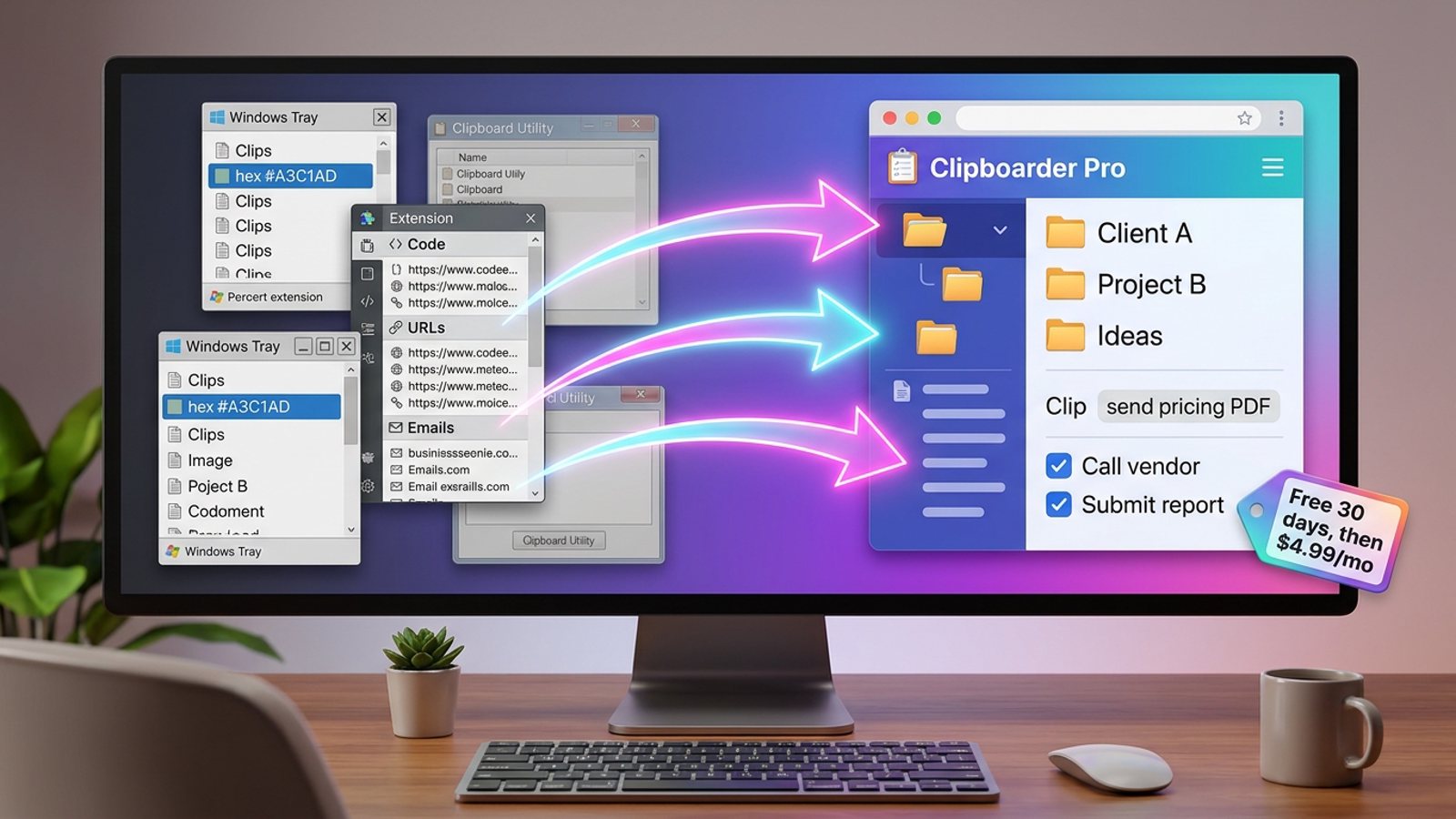
| Clipboarder Pro (Our pick) | Chrome users who want clips, notes and to-dos together | Auto-saves text, images, URLs, code; nested folders; colour tags; stars; in-line notes; to-do lists; multi-select copy | 30-day free trial, then $4.99/month (Nov 2026; prices can change) | Chrome only; data stays in your browser, no servers |
| Permanent Clipboard | Folder-first snippet libraries with canned replies | Named snippets, nested folders, search, right-click insert; Premium adds sync, images, version history, 90-day recovery | Free tier; Premium paid (see vendor page) | All-site permissions; history device-local unless you pay |
| CopyQ | System-wide capture outside the browser | Captures from all apps, images and rich text, JavaScript scripting | Free, open source | Desktop app to install and configure; tray process to manage |
| Chrome's built-in history | Quick recall of the last few copies | Recent-items list, nothing to install | Free | Small recent list; the sources don't state ChromeOS's exact limit |
| Notes app by hand | Very occasional copying | Whatever your notes app does | Free (with your existing app) | Slow, easy to forget, no automatic capture or search |
Why Clipboarder Pro is our pick of the tools we compared: it's the only one here that puts folders, in-line notes and to-do lists in the same Chrome extension, and it stores everything locally — zero servers, zero tracking. For a small business that lives in the browser, that's the whole job in one place. Install the ultimate Chrome extension today and your next copy is already saved.
Clipboarder Pro is made by the team behind this blog.
Tip
If you mainly need system-wide capture from Photoshop or a terminal, CopyQ is the more direct choice — it's free and open source, and it captures from every application, not just Chrome.
What do small business owners actually get for the money?
The value isn't the clipboard history — it's the minutes you stop losing. Say you run a bakery with an online shop: supplier order numbers, courier tracking links, customer reply templates, the allergen wording you paste into listings. Without a tool, each one costs you a re-search or a re-type.
With a browser clipboard manager, the workflow looks like this:
- Install the extension and keep copying as you normally do.
- Everything you copy is captured in your clipboard history automatically.
- Drag items into nested folders and add colour tags or stars.
- Search every clip, note and folder with Cmd+Shift+F.
- Check off to-dos and archive what you don't need today.
At $4.99/month, you're paying about the price of one coffee to stop re-finding the same tracking link three times a week. That's the calculation that matters — not the feature list.
The real cost of a clipboard tool isn't the subscription; it's the hours you spend hunting for something you already copied.
Which clipboard tool should a small business pick?
Pick by where your copying happens. If it's all in Chrome — client emails, invoices, listings, research — a browser extension wins, because it captures automatically without a second app running. Clipboarder Pro's 30-day free trial lets you test that against your real week before paying anything.
If your copying spans desktop apps, CopyQ is free and covers more ground. If you only need canned snippets and already think in folders, Permanent Clipboard's free tier may be all you ever need — and if you later want sync across devices, that's when Premium starts to make sense.
Good to know
Platform rules and menus change often. At the time of writing, extension permissions and store listings may differ from what you see when you install — always check the current listing.
Sources
- Permanent Clipboard - Snippets & Clipboard History (Chrome Web Store, updated 2026-09-30)
- Permanent Clipboard - 文本片段与剪贴板历史 (Chrome Web Store, no date)
- Permanent Clipboard security review (Extension Auditor, 2026-11-12)
- Best Clipboard Manager Chrome Extensions in 2026 (TypeFire, vendor blog, 2026-10-04)
- Permanent Clipboard source (GitHub, 2013-05-26)
- Clipboard History — Comparison with Alternatives (GitHub, 2026-02-16)
- ClipStash – Clipboard History Manager (Chrome Web Store, updated 2026-03-05)
- ClipStack Pro (Chrome Web Store, updated 2026-06-09)
- ClipboardVault Pro (Chrome Web Store, updated 2025-03-16)
- Paste app alternative (clipboardextension.com, no date)
Frequently asked questions
Does Permanent Clipboard have a free version?
Yes. The free tier gives you a snippet library with nested folders, search and right-click insert, per the Chrome Web Store listing (updated 30 September 2026). Premium adds sync, image snippets, version history and 90-day deleted-item recovery.
Will Permanent Clipboard sync across my devices for free?
No — sync is a Premium feature, according to the TypeFire review (vendor blog, 2026). On the free tier, history is device-local.
How much does Clipboarder Pro cost?
$4.99/month after a 30-day free trial, as of November 2026. Prices can change, so check the site before you subscribe.
Which clipboard tool is best for a small business owner?
For Chrome-based work, Clipboarder Pro is our pick of the tools we compared, because folders, notes and to-dos live in one local extension. If you need capture from desktop apps, CopyQ is the more direct free choice.
Is my copied data sent to a server?
With Clipboarder Pro, no — everything is stored in your browser on your machine, with zero servers and zero tracking. For other tools, check their own privacy documentation.